Backbeat for Windows

Sound like a band.
Build every song live.

Backbeat is a real-sounding drummer and a 4-track looper locked to it, made by a concert guitarist who uses it at every performance. No backing tracks: every part is created live, in front of the audience. Now you can do the same with guitar, bass, keys, violin, horns or voice.

Launch price. Everything works during the trial. No credit card to try. Installing? Read this first.

Backbeat on stage: Track 1 looping, Track 2 recording the next part, the drummer playing a funk groove

Backing tracks play the same song every night. Backbeat plays your song, tonight.

The audience sees you build it

Lay down the rhythm, loop it, play the melody on top. People watch the song come together, and that's what they remember.

The song follows you

Stretch a solo, repeat the chorus, end early. Switch to the chorus groove, call a fill, play the ending, whenever the moment asks for it.

Nothing to prepare

No tracks to buy, record or mix before the gig. Pick a groove, set the tempo, play. Any song, any key, any night.

One app instead of two pedals

Playing with a drummer and building loops on top usually means a drum-machine pedal plus a looper pedal that can sync to it. Together that's about $1,100 and two more boxes on your board.

Backbeat does both, already in sync, on the computer you have. $59.

  • Drums and loops share one clock, so loops always land on the beat
  • Switch between verse and chorus grooves, fills and endings live
  • Four loop tracks that work like the parts of a song
  • Runs from any MIDI footswitch, or from your effects processor's switches
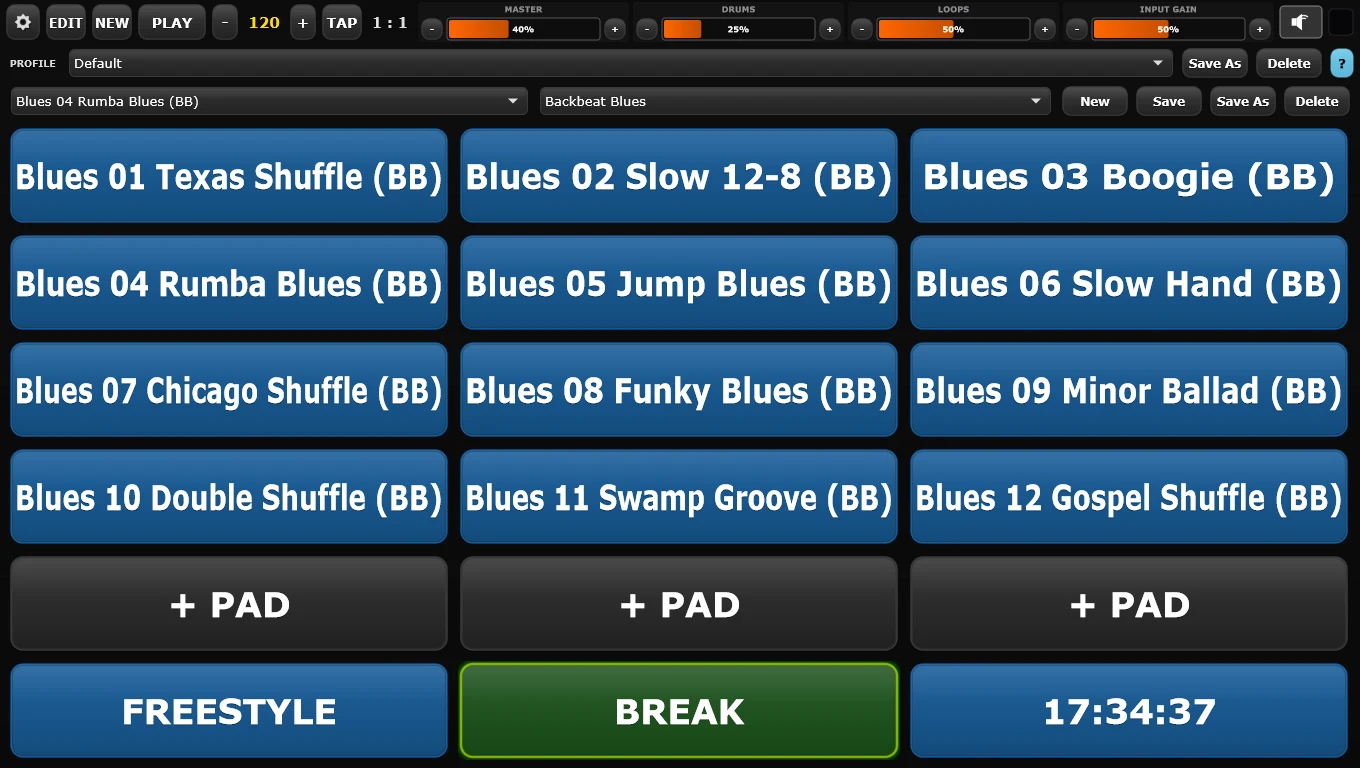
Backbeat's pad screen with blues grooves

120 grooves, one tap away

Rock, blues, funk, jazz, Latin, country, pop, metal, ballads and world rhythms, organized into pages of big pads you can hit from across the stage. Each style has a verse and a chorus groove, fills and an ending, played by a full acoustic drum kit.

Set the tempo with plus and minus or by tapping. Press PLAY and the drummer counts you in with a fill.
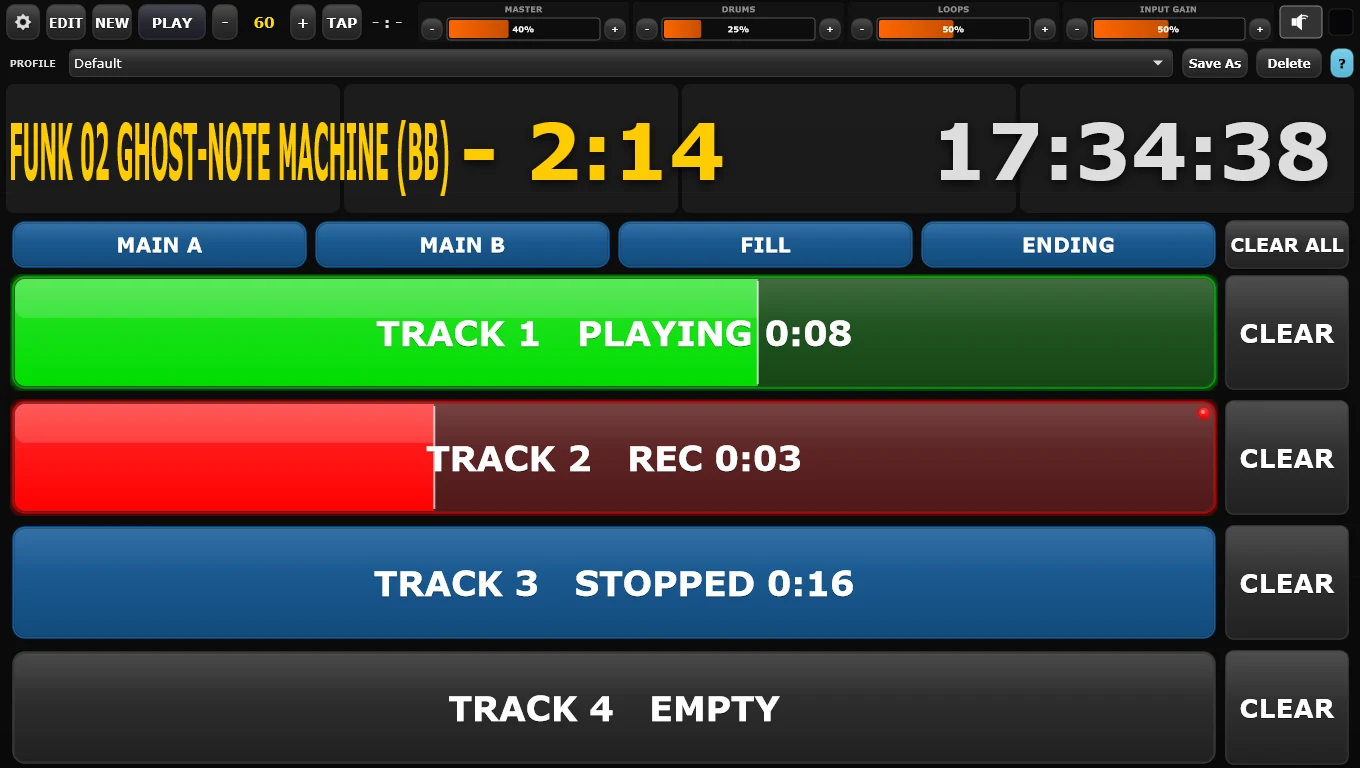
Four loop tracks: one playing, one recording

A looper that thinks in songs

Record your rhythm part on Track 1, the chorus on Track 2, a bridge on Track 3. Tap another track and Backbeat switches at the end of the phrase, with a drum fill, just like a band going into the next section.

Recording starts and ends on the bar, so loops never drift. CLEAR erases one part, ENDING wraps up the song and clears everything for the next one.

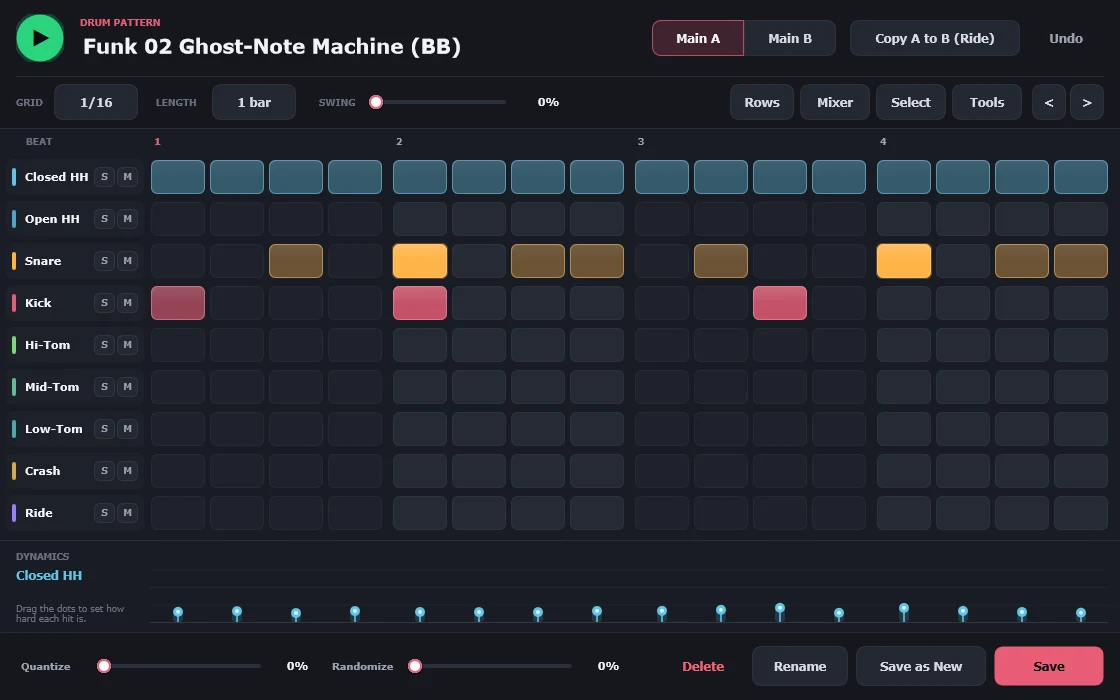
Backbeat's drum pattern editor

Make your own grooves

Draw a beat on the grid, shape how hard every hit is struck, add swing, and hear it while you edit. Start from any style and make it yours, or start from scratch. Every pattern keeps its own time signature, so a waltz stays a waltz.

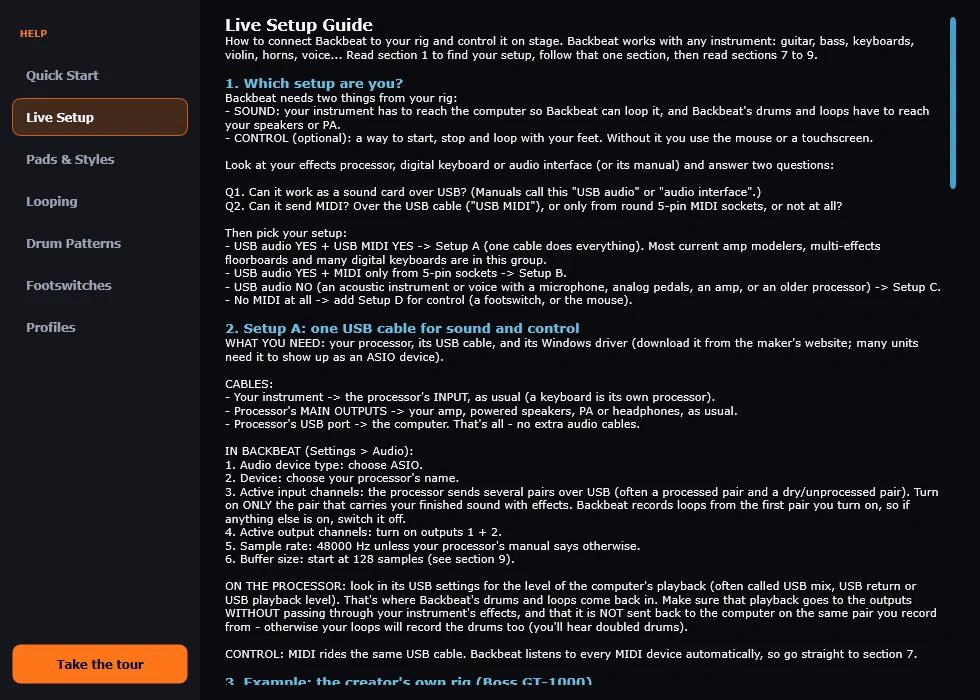
The built-in Live Setup guide

Made for the stage

Teach Backbeat your footswitches in seconds: tap one switch to start, hold it for an ending. A built-in guide shows exactly how to connect your effects processor, keyboard or audio interface, step by step. Save a profile for each rig, play your own music between songs with the BREAK pad, and loop with no drums at all in FREESTYLE.

Eduardo Minozzi Costa with his electric and classical guitars

Made by a musician, for musicians

I built Backbeat for my own concerts.

"I perform with Backbeat at every show. I don't use backing tracks: I pick a groove, start the drums with my foot, and build each song live, layer by layer. I couldn't find one tool that did the drummer and the looper together, perfectly in time, so I made it. Now it's yours."

Eduardo Minozzi Costa

A Brazilian concert guitarist with a Doctor of Musical Arts from the University of Arizona and ten first prizes in international competitions. He performed at Carnegie Hall, placed third at the Guitar Foundation of America competition, has been a D'Addario artist since 2010, and teaches guitarists around the world through Master Guitar Online.

Read about the Carnegie Hall performance

What you need

Nothing extra to buy. Your computer's built-in microphone is enough to loop your voice or any acoustic instrument. Wear headphones so the microphone hears only you, not the drums.

  • A Windows 10 or 11 computer (about 2 GB of free space) and an internet connection to install
  • Its built-in microphone, or any USB microphone
  • Headphones, or speakers for practice without looping

Optional upgrades, whenever you want them:

  • An audio interface, or an effects processor or keyboard that works as a USB sound card, for studio-quality sound and plugging in electric instruments
  • A MIDI footswitch (or your processor's switches) for hands-free control on stage

Internet is needed once to start the trial or activate your license. After that Backbeat works offline at gigs.

Try it, then decide

  • Free 7-day trial with everything working, on your own gear
  • One-time price, no subscription. Updates included.
  • Your license works on 2 computers (home and gig laptop)
  • If Backbeat doesn't work with your computer or gear and we can't fix it, you get a full refund within 14 days

Installing on Windows

One honest heads-up before you install

The first time you run the installer, Windows will probably show a blue screen that says "Windows protected your PC." Nothing is wrong with Backbeat.

Windows shows that screen for programs that aren't "digitally signed." Signing is a certificate that big software companies buy from Microsoft every year. I'm an independent musician who builds Backbeat myself, so for now the money goes into making Backbeat better. Signing comes as soon as sales can pay for it.

  1. Click More info.
  2. Click Run anyway.

You only do this once. After that, Backbeat opens like any other program. Questions? Reply to your receipt email and I'll answer personally.

Questions

Is Backbeat only for guitar?

No. It's for any instrument or voice. Whatever goes into your audio interface or processor can be looped over the drums: bass, keyboards, violin, sax, vocals, or several at once.

Does it work on Mac, iPad or Android?

Not yet. Backbeat runs on Windows 10 and 11.

Do I need to buy any equipment?

No. Backbeat works with your computer's built-in microphone: sing, or play an acoustic instrument, and loop it over the drums. Use headphones so the microphone doesn't pick up the drums. An audio interface, a processor or a footswitch makes it even better later, but none of them is needed to start.

Do I need a footswitch?

No. Everything works with the mouse or a touchscreen. A footswitch makes it hands-free, and any MIDI footswitch works, including the switches on many effects processors.

Will my loops stay in time with the drums?

Yes. The drummer and the looper run on the same clock, and recording starts and ends on the bar, so loops can't drift.

Windows says "Windows protected your PC" when I install. Is it safe?

Yes. Windows shows that message for programs that aren't digitally signed, a yearly certificate that big software companies buy. Backbeat is made by one independent musician, so it isn't signed yet. Click More info, then Run anyway; you'll only see it the first time. See what it looks like.

What happens when the trial ends?

Backbeat asks for a license key. Buy it here, paste the key from your receipt email, and keep going with all your settings, styles and footswitch setup exactly as you left them.

Do updates keep my settings?

Always. Updates never touch your settings, footswitch setup, profiles or the grooves you made. If an update improves a factory groove you edited, Backbeat asks before changing it.

Bring a drummer and a looper to your next gig

$79 $59 launch price, one time

Try it free for 7 days. If you buy and Backbeat doesn't work with your computer or gear, I'll help you get it working, and if I can't, you get a full refund within 14 days.

Secure checkout by Stripe. Your license key appears right away and arrives by email.

Get your free 7-day trial

Enter your email and I'll send you a link. Click it to confirm, and Backbeat starts downloading.

No credit card needed.